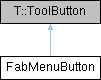
The toggle button of a Material Design 3 Expressive FAB menu. More...
Detailed Description
The toggle button of a Material Design 3 Expressive FAB menu.
FabMenuButton renders as a floating action button while it is collapsed and morphs into a close button while it is expanded: the container, its corner radius and the icon spring to the FAB menu close-button metrics while the collapsed and expanded Material Symbols cross-fade.
The collapsed metrics follow the FAB size tokens, so a collapsed FabMenuButton matches a FAB of the same size. Set text to a short, localized description of the action; it is used as the accessible name while the control renders only its icon.
FabMenu creates a FabMenuButton automatically. Applications normally use FabMenu rather than instantiating this control directly.
For more information see the Material Design 3 FAB menu guidelines.
Definition at line 26 of file FabMenuButton.qml.
The documentation for this class was generated from the following file:
- src/controls/qml/components/FabMenuButton.qml