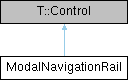
A modal Material Design 3 Expressive navigation rail. More...
Detailed Description
A modal Material Design 3 Expressive navigation rail.
ModalNavigationRail is a page-sized overlay host. Its expanded rail appears above application content, blocks that content with a scrim, and does not change the page's layout. Tapping the scrim, pressing Escape, or dragging the rail at least halfway toward the logical-start edge collapses it.
By default the collapsed 96 dp rail remains visible. Set hideOnCollapse to make the expanded rail enter from and return fully off-screen instead. Destination activation changes currentIndex but does not collapse the rail, leaving the application's navigation lifecycle in control.
This control is intended for medium, expanded, large, and extra-large windows. Applications select it explicitly using Breakpoints.
For more information see the Material Design 3 navigation rail guidelines.
Definition at line 45 of file ModalNavigationRail.qml.
The documentation for this class was generated from the following file:
- src/controls/qml/navigation/ModalNavigationRail.qml